
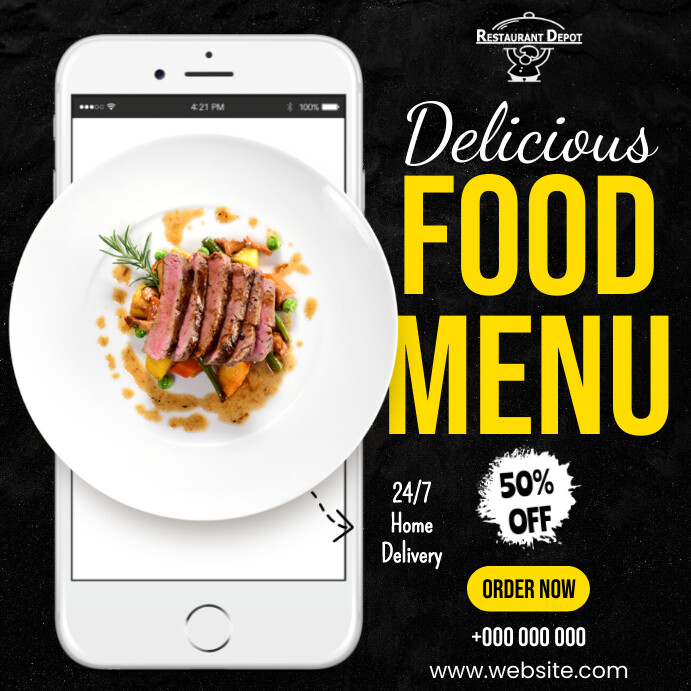
A good flyer can boost your customer engagement by a mile. Whether you run a cafe or a food truck, you do not need to rely on a graphic designer anymore. There are plenty of online tools that offer free restaurant flyer templates and simple-to-use editing tools, making sure you do not spend hours designing a flyer from scratch.
This blog will provide a clear guide for choosing the right flyer tool in accordance with your restaurant’s marketing goals. We will go over the top 5 online platforms and compare them according to their pros and cons, key features, and pricing differences.
- Canva
Canva is an accessible and beginner-friendly option for restaurant owners who are just learning how to design a flyer. This tool offers a diverse variety of food-themed templates that you can customize to create a flyer. If you are a small cafe or a local bar on a budget, Canva is the answer to your design needs.
Key features
- Food-themed flyer templates
- Drag-and-drop editor
- Option to upload one own’s images
- Access to stock images library
- Resizing options are available for different types of layouts (posters, ads, flyers, social media ads, and presentations)
- HD and printable exports/downloads
Pricing
- Free
- Canva Pro: $12.99/month
- Canva Teams: $14.99/month
Pros and Cons
| Pros | Cons |
| ✅ Ease of use for complete design beginners | ❌ Premium templates and stock photos require you to buy Canva Pro plan |
| ✅ Large library of templates with restaurant-related themes | ❌ Does not offer detailed and advanced flyer design options |
| ✅ Offers quick customization features for menus, events, and offers |
- PiktoChart
PiktoChart brands itself as a design solution which can help you create flyers, infographics, and presentations. This platform offers AI-assisted flyer creation for restaurant owners who want a fast turnaround on promotional materials. Got a team full of busy marketing professionals? Simplify your design workflow by using this tool.
Key features
- AI-generated flyer generation from text prompts
- Wide template library for quick customization
- Access to elements such as charts, stickers, and layouts
Pricing
- Free
- Pro: $24/monthly
- Access to all premium templates, high-resolution exports, and advanced editing features
Pros and Cons
| Pros | Cons |
| ✅ Speeds up the process of flyer-creation with AI tools | ❌ Templates are not specific to a restaurant’s graphic needs |
| ✅ Good option for those who prioritise data-driven promotions and menu highlights | ❌ Printable and HD exports require the Pro plan |
| ✅ Offers quick customization features for menus, events, and offers |
- Fotor
Fotor is an online tool which offers hundreds of free templates so you can design your flyer in minutes. Not limited to basic flyers, you can even use this platform to create other graphics such as business cards, table cards, events, or promotional brochures. For busy restaurant owners, this tool is a great photo-focused option.
Key features
- Hundreds of free flyer templates
- Simple and easy-to-use editor
- Option to upload one’s own food photography
- Library of backgrounds, fonts, and icons
- Ability to download graphics in high-quality
Pricing
- Free
- Pro: $7.49/month
Pros and Cons
| Pros | Cons |
| ✅ Does not have a watermark on the free plan | ❌ Since most templates are general-purpose, you will need to edit them to tailor the flyers to your restaurant’s marketing theme |
| ✅ Suitable for those who require high-quality prints | ❌ Free plan offers limited editing features |
| ✅ The website interface is easy to navigate for beginners |
- Adobe Express
Adobe Express is a great platform for those who want an ‘upscaled’ look without breaking their bank. If you prefer sleek and modern designs, this tool offers many editing options for creating polished and neat flyers in little time.
Key features
- Drag-and-drop editor
- Large template library
- Options to upload one’s own images
- Resizing options for different social media layouts
- Additional option to add animations in digital flyers
Pricing
- Free
- Adobe Express Premium: US$9.99/month
- Adobe Firefly Pro: US$19.99/month
- No annual commitment, billed monthly
Pros and Cons
| Pros | Cons |
| ✅ Good choice for those who want professional-looking visuals | ❌ Free plan does not have a wide range of templates to choose from |
| ✅ Easy to use editor | ❌ Customization is required if you are looking to brand your flyers according to your restaurant’s branding vision |
| ✅ Works well with other Adobe tools such as Fonts and Stock |
- PosterMyWall
PosterMyWall has a huge range of versatile editing features for flyers, menus, social media posts, and more. With this all-in-one tool, the possibilities for creating branded promotional materials are endless. By using its advanced AI-powered features and brand tools, you can create flyers under a time crunch and with maximum efficiency.
Key features
- Thousands of free restaurant flyer templates
- Beginner-friendly editor
- AI features: AI Background remover, resize, and copy suggestions
- High-quality, printable, and multiple-format exports/downloads
- Social media scheduling
- Content planner
Pricing
- Free
- Premium: $9.95/month or $99.95/year
- Team-tier: 2-5 members for $14.95/month and 6-10 members for $35.95/month
Pros and Cons
| Pros | Cons |
| ✅ Huge template library with options to choose from themed user-created layouts | ❌ HD downloads require you to buy the Pro plan |
| ✅ Easy for beginners | |
| ✅ AI features save time |
How Does Choosing The Right Tool Save You Time and Money?
Choosing the right tool is not always about how your design looks, but if it actually saves you time and money in the marketing department. By using the correct platform and taking into consideration your design goals, you can customize templates, seek help from AI-powered editing tools, and produce professional flyers without the hassle of hiring a dedicated content designer.
Tools like Canva and PosterMyWall offer other features beyond flyer editing and generation such as replicating your branding across social media channels. This means that you will be spending less time and money on manually planning your content and repurposing old graphics. The more time you save on designing, the more focused you can be while running your restaurant and engaging with customers.
To summarize, invest in a tool that does the work for you, offers a significant reduction in printing errors, and eliminates hours of tedious reworkings of the same old designs.
FAQs
Here are some frequently asked questions about the best online flyer-making tools for restaurants.
- What features should a restaurant flyer maker have?
A good flyer-making tool should have food-specific templates, easy-to-use editing tools, and high-quality export options so you can get your flyers printed hassle-free. Similarly, the tool should allow one’s own photo uploads and support branding elements such as logos and brand colours.
- Can I print the flyers made with these online designs?
All the tools listed in this article support high-resolution downloads which are suitable for physical print. You can export your design in multiple formats such as JPEG, PNG, and PDF, depending on your print needs. However, keep in mind, most of the tools mentioned in this blog post paywall advanced export features.
- What is the best free tool for beginners with no design experience?
Canva and PosterMyWall are the easiest for beginners to work with. The drag-and-drop editing interface makes customization intuitive and self-explanatory. In addition, template libraries make it easier to design a flyer by using a pre-designed template to work on.


